
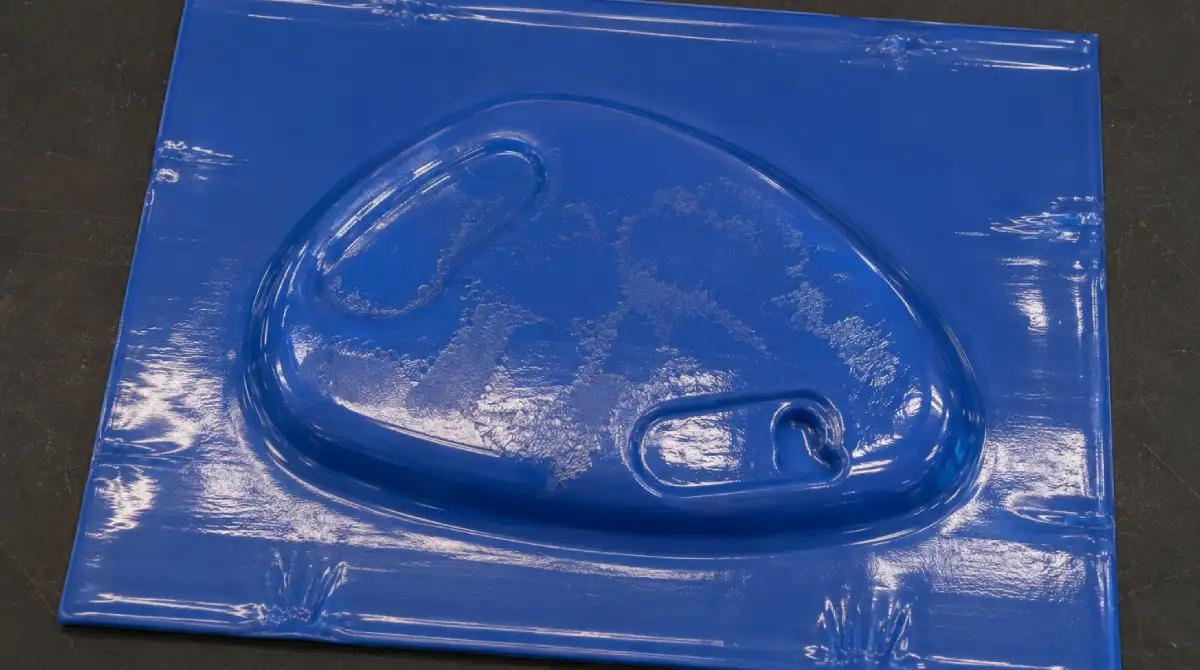
Acrylic Masking Damage
Acrylic masking damage occurs when the protective film applied to PMMA sheet surface is exposed to temperatures exceeding 215°C (420°F). At this threshold, the adhesive layer of the masking undergoes thermal crosslinking — it bonds chemically to the acrylic surface rather than remaining removable. When the operator attempts to peel the masking after forming, it no longer strips cleanly in one sheet but tears in irregular strips, leaving adhesive residue, surface contamination, and in severe cases micro-scratches from the torn film dragging across the acrylic.
This defect is not limited to the forming cycle. PMMA sheets stored in warm environments — near ovens, under direct sunlight, or in poorly ventilated warehouses — can accumulate enough heat over time to partially bond the masking before the sheet even reaches the machine. Top heater zones running at elevated wattage are the most common in-process trigger, since the masking faces the upper IR elements directly and absorbs radiant energy faster than the sheet bulk. Extruded PMMA and cast PMMA respond differently to heat, with extruded grades softening at lower temperatures and reaching the masking damage threshold sooner at equivalent heater settings.
- Verify actual surface temperature with thermolabels. Stick irreversible thermolabel indicators rated at 200°C and 215°C directly onto the masking surface before a test cycle. They confirm whether the sheet surface is exceeding the damage threshold regardless of what the oven setpoint reads — controller calibration drift and distance variation mean setpoint alone is not reliable.
- Reduce top heater wattage. Since the masking faces the upper IR elements, the top zone is the primary driver. Reduce upper heater output by 10–15% and compensate with a slightly extended cycle time if forming quality requires it. Bottom zone output can remain unchanged as it heats the sheet from the mould side where masking is not present.
- Increase heater-to-sheet distance on the upper platen. Radiant flux drops with the square of distance. Moving the upper heater bank 15–20 mm further from the sheet surface can reduce peak masking temperature by 10–20°C without changing wattage settings.
- Remove masking from the top surface before forming where surface quality permits. If the mould geometry and handling process allow it, peel the top-face masking before the sheet enters the oven. Leave the bottom-face masking in place to protect the sheet during clamping and forming. Re-apply protective film after forming if needed for downstream handling.
- Switch to high-temperature masking film. Standard PE masking films are rated to 80–100°C. Specify high-temperature masking rated to 220°C or above for acrylic thermoforming applications. These use silicone-based or modified acrylic adhesives that do not crosslink at forming temperatures.
- Control storage conditions. Store masked PMMA sheets below 40°C in shaded, ventilated areas away from heat sources. Sheets that have been stored in hot conditions should be inspected — attempt to peel a corner of masking before loading to confirm it still releases cleanly.
THERMOFORA Vacuum Forming Machines
Industrial vacuum forming machines — manufactured and ready to ship
From compact prototyping formats to full industrial sheet sizes. Every machine is built, tested, and shipped from our facility. Running in production across 24 countries.