
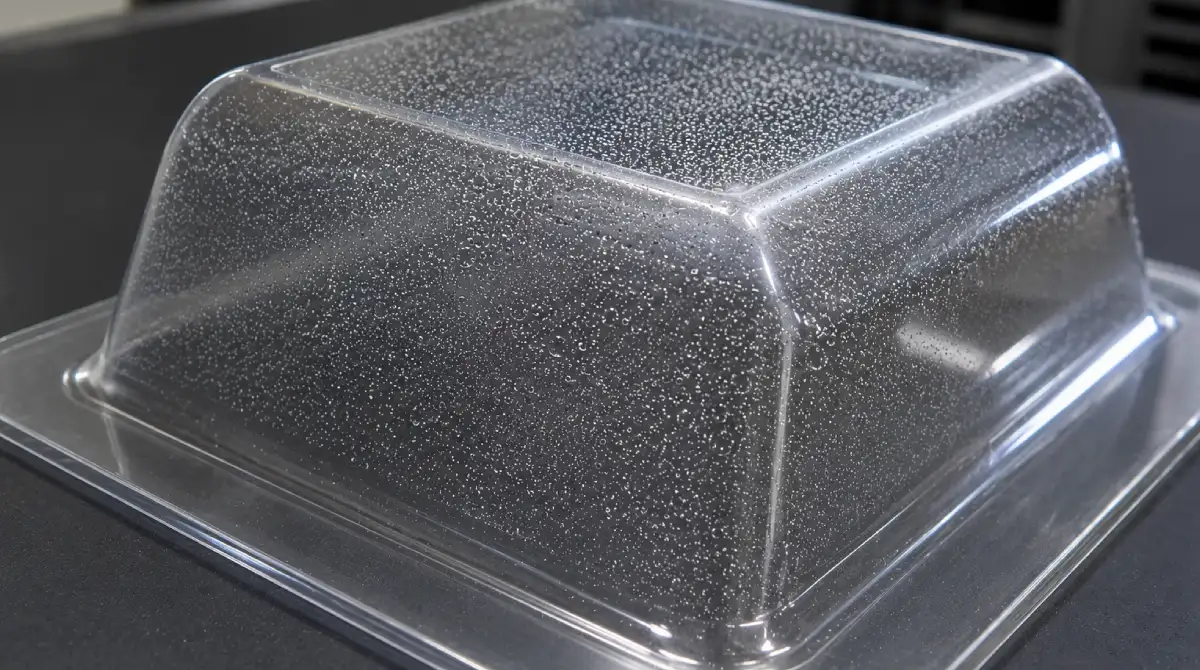
Microbubbles
Microbubbles are caused by polymer degradation and gasification during the heating cycle rather than by moisture contamination. As the material approaches its thermal degradation limit, the polymer structure begins to break down, releasing gases within the sheet.
Unlike conventional moisture blisters, microbubbles are typically distributed throughout the material and indicate that processing temperatures or heating times are excessively high. This defect often appears when sheets are overheated or when recycled material has been repeatedly re-extruded.
- Reduce oven temperature to keep the material below its thermal degradation threshold.
- Decrease dwell time in the heating station to prevent excessive heat exposure.
- Verify actual sheet temperature using an infrared (IR) sensor rather than relying solely on heater settings.
- Avoid repeated re-extrusion of regrind material, which accelerates polymer degradation and increases the likelihood of gas formation.
- Review processing parameters regularly to ensure the material remains within the manufacturer's recommended forming temperature range.
THERMOFORA Vacuum Forming Machines
Industrial vacuum forming machines — manufactured and ready to ship
From compact prototyping formats to full industrial sheet sizes. Every machine is built, tested, and shipped from our facility. Running in production across 24 countries.